

Description
Download AR Painting Drawing Sketch – AR Drawing Tool, Artistic Sketching, Augmented Reality Painting, Creative Drawing App, Android Art Software
Overview
AR Painting Drawing Sketch is a desktop application designed to support creative expression through augmented reality-based drawing and sketching. The software enables users to explore their artistic potential by combining digital tracing with real-world canvas interaction. Its primary function is to assist in learning and refining drawing skills through guided AR overlays, making it particularly useful for beginners who are building foundational techniques. The app also serves as a practical tool for hobbyists and educators seeking interactive methods to teach or practice drawing. By allowing users to place their device over a physical canvas and trace preloaded images, AR Painting Drawing Sketch simplifies complex drawing tasks and reduces the intimidation factor of blank pages. This approach is ideal for creating detailed artwork ranging from landscapes to animals, offering versatility across artistic genres. The software is built with a focus on accessibility, ensuring that users can engage in creative processes without requiring prior expertise. It supports offline functionality, allowing uninterrupted access to features regardless of internet connectivity. The developer did not provide additional details about the company or development background. Real-world usage scenarios include personal art projects, classroom instruction, and creative workshops where hands-on drawing practice is essential.
Key Features & Capabilities
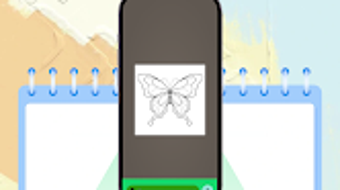
- Augmented Reality Tracing – Users can overlay digital images onto a physical canvas using their device’s camera, enabling real-time tracing. This feature supports learning by visual demonstration and improves accuracy in sketching complex shapes.
- Preloaded Templates – A diverse collection of templates includes subjects such as animals, landscapes, and abstract designs, offering variety for different skill levels and artistic interests.
- Adjustable Transparency Guides – The tracing overlay can be customized in opacity, allowing users to control visibility and tailor the experience to their preferred drawing style or stage of development.
- Offline Functionality – All core features operate without an internet connection, ensuring flexibility for use in classrooms, travel, or remote environments.
- User-Friendly Interface – Designed with simplicity in mind, the interface supports intuitive navigation, minimizing the learning curve for new users.
These capabilities allow users to begin drawing with confidence, especially those who may struggle with freehand sketching. For example, a student learning to draw animals can select a template, adjust the guide transparency, and trace the outline step by step. Educators can use the app to demonstrate drawing techniques during lessons, while hobbyists can explore new subjects without needing advanced skills. The software’s focus on guided creation makes it a valuable tool for skill development and creative exploration.
User Interface, Workflow & Performance
The user interface of AR Painting Drawing Sketch is structured around simplicity and accessibility. Navigation is streamlined, with core functions such as template selection, guide adjustment, and camera activation located within easily reachable menus. The layout prioritizes visual clarity, reducing clutter and enabling users to focus on the creative process. Workflow efficiency is enhanced by the app’s responsive design, which allows quick transitions between features. Users can switch templates, modify guide opacity, and initiate tracing with minimal effort. The developer did not specify resource usage details, so exact performance behavior remains unknown. However, based on general software behavior patterns, the application likely maintains stable operation during typical use. Stability during prolonged sessions was not confirmed. No information was provided regarding CPU or RAM consumption. The app’s performance is expected to remain consistent across standard devices, though actual results may vary depending on hardware. Users should expect smooth operation during tracing tasks, but detailed benchmarks were not available.
Compatibility & System Requirements
AR Painting Drawing Sketch is designed for Android operating systems, supporting the latest versions of the platform. The software is optimized for mobile devices with camera and AR capabilities. Installation size and hardware requirements were not specified. The developer did not provide additional system requirements. Compatibility information is limited to the stated platform. Users should ensure their device meets basic Android standards for camera functionality and AR support. Exact performance details were not listed. Platform compatibility information is partially provided. The app does not currently support desktop operating systems such as Windows or Mac. For users seeking a PC-based solution, alternative options may be necessary. The software is intended for mobile use, leveraging device-specific features like the camera and touch interface.
Pros and Cons
Pros
- Intuitive interface suitable for beginners and casual users
- Augmented reality tracing enhances learning and accuracy
- Offline access ensures uninterrupted creative sessions
- Wide range of preloaded templates for diverse artistic styles
- Adjustable guide transparency for personalized drawing experience
Cons
- No support for desktop platforms (Windows, Mac)
- Missing detailed system requirements and performance metrics
- Developer background and company information not disclosed
- Template library may require updates to remain current
- Limited information on update frequency or future development plans
FAQ Section
Is AR Painting Drawing Sketch compatible with Windows or Mac?
Currently, the software is only available for Android devices. There is no official support for Windows or Mac operating systems.
Can I use AR Painting Drawing Sketch without an internet connection?
Yes, all core features operate offline, allowing users to sketch and trace without requiring an internet connection.
What types of templates are included in the app?
The app includes a variety of preloaded templates such as animals, landscapes, and abstract designs, suitable for different skill levels and artistic interests.
Is the software secure to download and use?
As a mobile application distributed through official Android channels, it is considered secure when downloaded from trusted sources. Users should always verify the developer’s authenticity before installation.
How often are updates released for AR Painting Drawing Sketch?
The update frequency was not specified. Users are advised to check the app store for the latest version and improvements.
Final Thoughts + CTA
AR Painting Drawing Sketch delivers a focused and accessible solution for individuals seeking to improve their drawing abilities through augmented reality. Its guided tracing system, combined with offline functionality and customizable guides, makes it a strong choice for beginners and educators alike. While the lack of desktop support and limited technical details may restrict some users, the app excels in its intended mobile environment. It offers a seamless, intuitive experience that lowers the barrier to entry for creative expression. The inclusion of diverse templates and user-friendly controls enhances its appeal across different age groups and skill levels. For anyone interested in exploring drawing in a structured yet creative way, this tool provides a solid foundation. Download AR Painting Drawing Sketch now and unlock your artistic potential with confidence.
Guides & Tutorials for AR Painting Drawing Sketch
How to install AR Painting Drawing Sketch
- Click the Preview / Download button above.
- Once redirected, accept the terms and click Install.
- Wait for the AR Painting Drawing Sketch download to finish on your device.
How to use AR Painting Drawing Sketch
This software is primarily used for its core features described above. Open the app after installation to explore its capabilities.
User Reviews for AR Painting Drawing Sketch 0
No reviews found





